 Works with noforeignland
Drop the hook. Show up on the map.
noforeignland is the map the cruising community keeps for itself: boats, anchorages, and the crews who were there before you. Anchor Alarm Pro talks to it. Arm your anchor watch and your boat's pin jumps to tonight's anchorage, for everyone who follows you.
One position, at the one moment that matters. Off until you switch it on, under your own boat's key, and silent between anchorages.
How it works
The right position, at the right moment
Anchor down, watch armed, boat settled. That is exactly the spot other crews want to see on noforeignland, and exactly when Anchor Alarm Pro sends it. Not a breadcrumb trail of your passage, not a pin twitching around the anchor all night. One clean drop, in the right place, the moment you commit to the anchorage.
- Under way? Nothing is sent. Swinging at anchor? Still nothing. The pin moves once, when the anchor goes down.
- Off by default. Not a byte leaves the app until you paste your own Boat API Key and flip the switch yourself.
- Your key stays on your phone. It is never uploaded anywhere else, and one tap removes it.
Two minutes, once
Setting it up
- Grab your key. On the noforeignland website, open your boat's Third party APIs page and copy the Boat API Key. Website, not app: their app does not show it.
- Find the switch. In Anchor Alarm Pro, open Settings and tap noforeignland, under Community. Look for the red sail.
- Paste and save. Tap Save Key and the app asks noforeignland whose key it is, then shows you the boat's name. You know it is yours, not just a string of the right shape.
- Switch on Publish my position. That is it. Next time the anchor goes down, your boat is on the map.
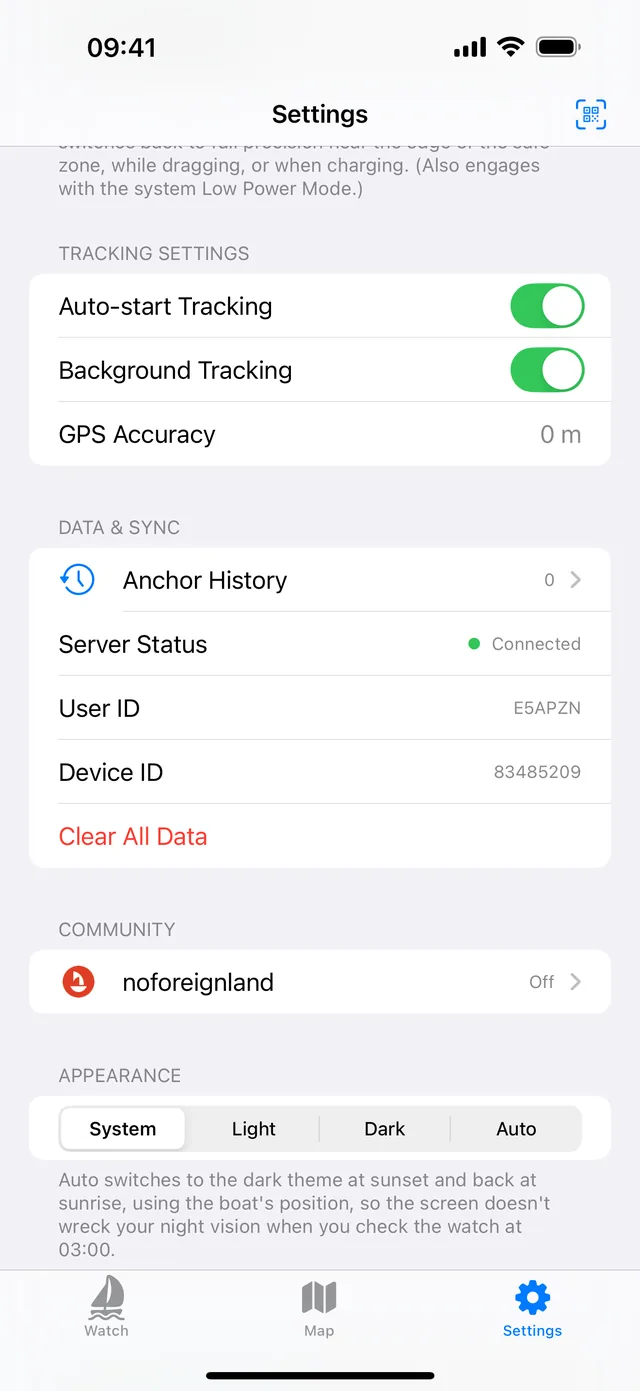
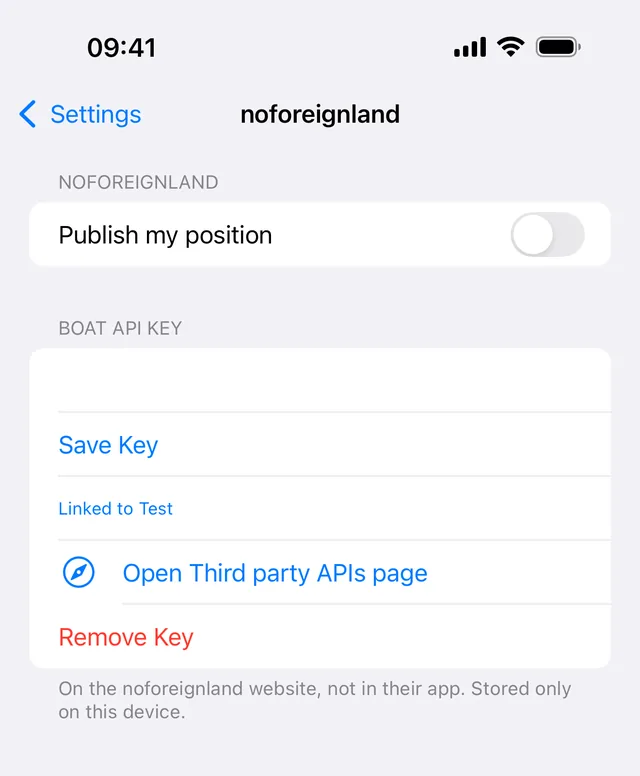
Needs Anchor Alarm Pro 1.7.0 or later on iPhone, iPad or Android, and a data connection at the moment you anchor.
Your data
What goes up, and what never does
Sent
The position and time of the anchorage, under your own Boat API Key. That is the whole payload.
Never sent
No account, no name, no device details, no track of how you got there, and nothing at all between anchorages. This is not a live tracker.
Changed your mind? Switch off Publish my position and the pin stays where it is. Tap Remove Key and the key is gone from the device. Anything already on the noforeignland map is yours to edit or delete over there.
If it does not work
"That key was not recognised." The key comes from the noforeignland website, not from their app, and it is long. Check you copied all of it, with no trailing space.
The boat has not moved on the map. The position goes up when you drop anchor, not when you open the app. Check Last upload on the noforeignland screen in Settings; if it shows an error, the line underneath says what went wrong.
Still stuck? Email us and we will take a look.
New to noforeignland?
It is built by cruisers, for cruisers: a shared map of anchorages, marinas and boats, with the notes and photos of the people who have actually been there. Worth an evening of browsing before you ever post a pin. Start at noforeignland.com.