Why phone GPS fails below deck
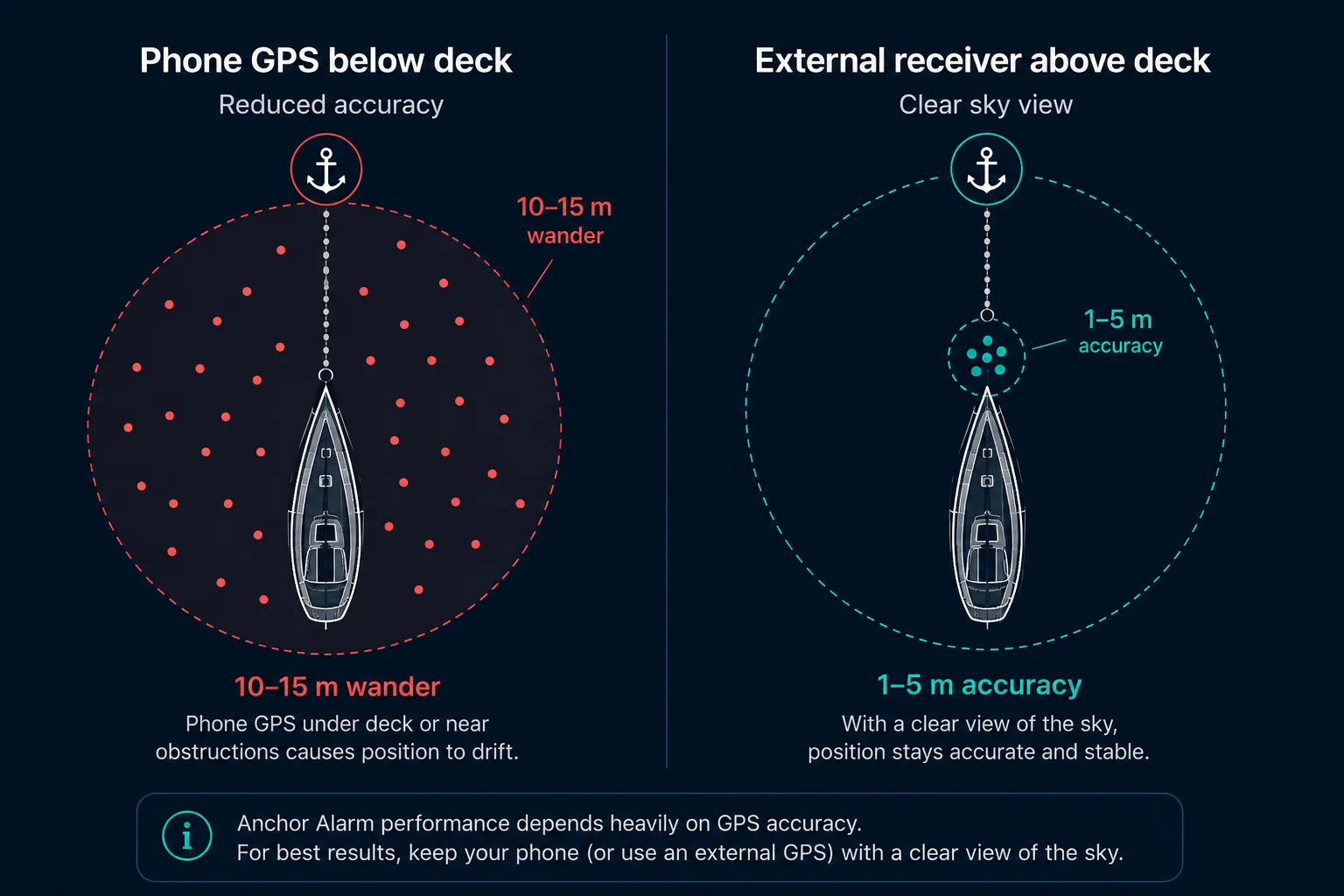
A phone's GPS chip is designed for outdoor use on a pedestrian or a driver. Below a fibreglass deck or inside a cabin near the waterline, the hull attenuates GPS signals by 10 to 20 dB in some orientations. The phone may lock onto 3 to 4 satellites instead of 10 to 12. Multipath reflections from the hull and rigging add noise. The result: even with the boat completely stationary, the position drifts around a 20 to 50m area.
For navigation this rarely matters: 30m on a chart is invisible. For an anchor alarm, it is a serious problem. If the GPS wanders 30m and your alarm radius is 30m, you will get false alarms every time the wander moves toward the edge. The natural response is to increase the radius until false alarms stop, but now you might be 60m from where you think you are before the alarm fires. In a tight anchorage, that 60m might already include the boats on either side of you.
The fix is simple: give the GPS a clear sky view. Even a cheap Bluetooth receiver placed near a hatch or on deck will outperform a phone inside a closed cabin.
How accurate does an anchor alarm GPS need to be?
For anchoring, you need to detect drift of more than your safety margin before you hit something. In a well-spaced anchorage with 10m of clearance to the nearest hazard, you need GPS accuracy better than 10m, ideally 3 to 5m to leave a comfortable buffer. In tighter spots, 2 to 3m accuracy lets you set a 15m alarm radius and trust it completely. Going below 1m accuracy gains you nothing for anchoring and costs considerably more.
iPhone vs Android: why it matters before you buy
On Android, any Bluetooth GPS can be set as a system-level location source. On iPhone there are two ways a receiver can work, and it helps to know which one you are relying on.
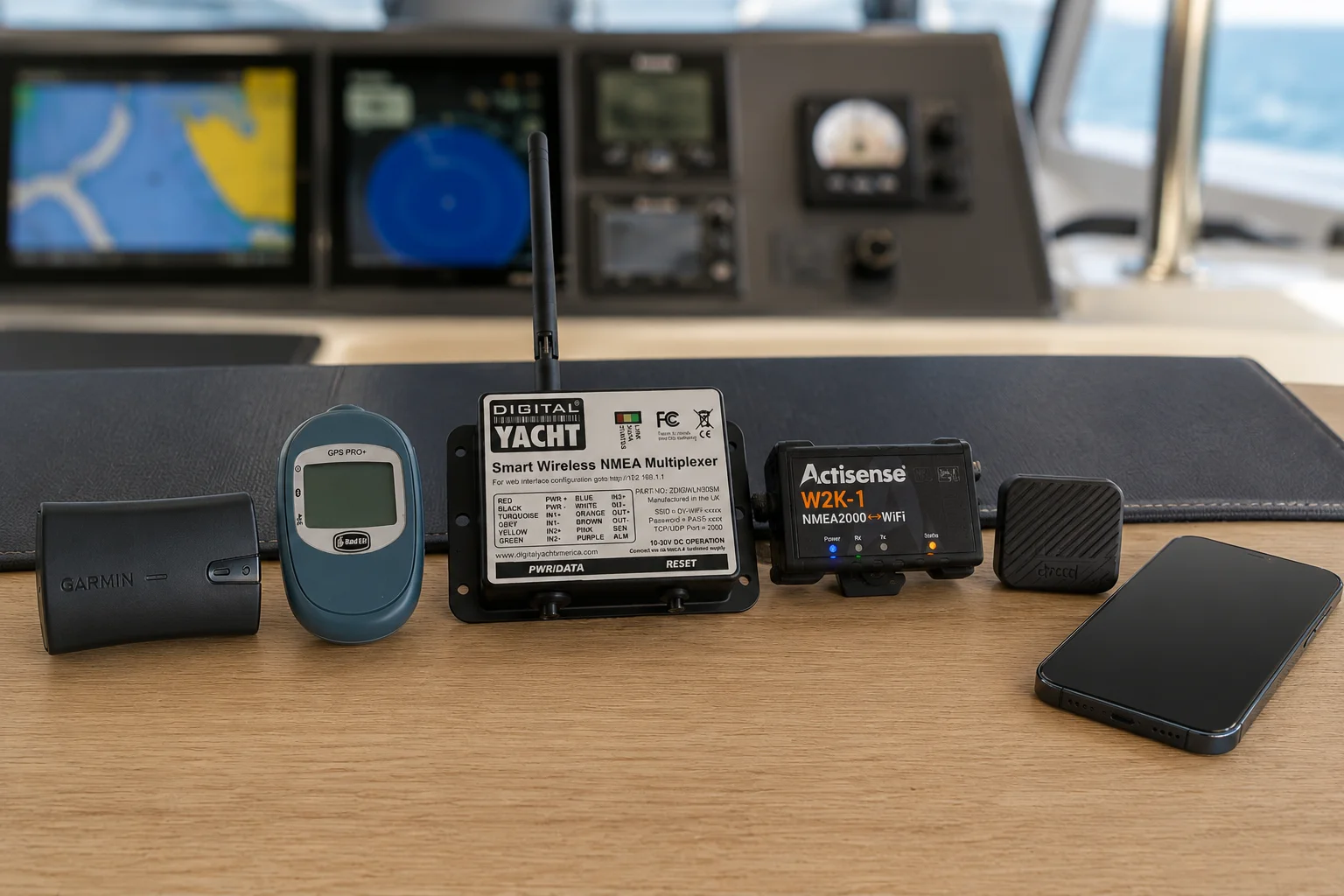
Path one, MFi (system-wide). iOS only lets external receivers certified under Apple's MFi (Made for iPhone) program feed location to apps at the system level. When an MFi receiver is paired through iOS Bluetooth settings, it automatically replaces the phone GPS for every app that uses location services: no extra steps, no SDK, and it works the same in your chartplotter app, your logbook app and your anchor alarm. The Garmin GLO 2 and Bad Elf below take this path.
Path two, app-native (per app). A receiver that is not MFi-certified can still work if the app talks to it directly over Bluetooth LE. This is how Anchor Alarm Pro supports the Dragy Lite and Pro: you connect the Dragy from inside the app rather than in iOS Bluetooth settings. The upside is access to excellent, inexpensive hardware; the trade-off is that it only works in apps that have specifically added support, so the same Dragy will not act as a GPS for other iPhone apps the way an MFi receiver does.
The practical consequence: for a receiver you want to use everywhere on iPhone, buy MFi. For the best accuracy per dollar with Anchor Alarm Pro specifically, the app-native Dragy is hard to beat. A plain Bluetooth puck that is neither MFi nor supported by your app will not work at all. The WiFi/NMEA options bypass the question entirely, since they communicate over the network rather than Bluetooth.
The six receivers
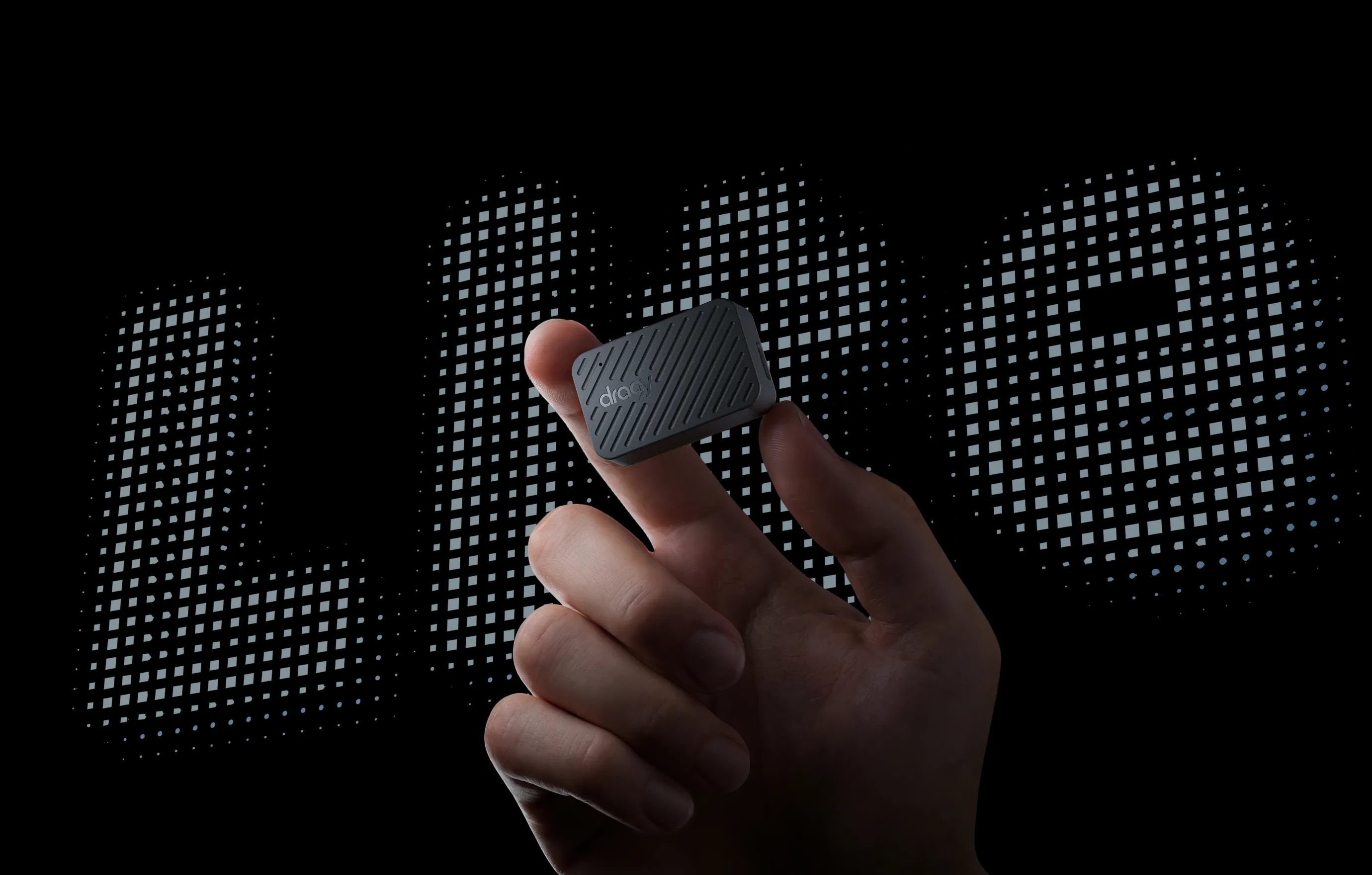
1. Dragy Lite and Pro Most accurate · sub-meter · from ~$99
GPS + Galileo + GLONASS + BeiDou · 10Hz · Bluetooth LE (app-native) · USB-C rechargeable · sub-meter open sky
The Dragy is a GPS performance meter, built to measure car and boat acceleration, which means it carries a high-end u-blox GNSS chip that reports a real, per-fix accuracy estimate. At anchor with a clear sky view it routinely reports sub-meter accuracy: the tightest position of anything in this list. That lets you set a small alarm radius and trust it completely, even rafted up in a crowded anchorage.
It connects over Bluetooth LE, but not the MFi way. The Dragy is not MFi-certified, so it does not feed iOS location services system-wide. Instead Anchor Alarm Pro talks to it directly: you connect it from inside the app's GPS settings (no pairing in iOS Bluetooth settings needed), and the app shows live satellites, accuracy, battery and an estimated battery life. On Android it connects the same way, from inside the app. The trade-off is the one described above: it only works in apps that have added Dragy support.
Lite vs Pro: both use the same GNSS receiver and give the same position accuracy for anchoring. The Pro (from ~$149) adds an accelerometer and gyroscope for performance logging, which an anchor alarm does not use, so the Lite is the better value here: about $119 on Amazon in the US and around EUR 99 on Amazon in Europe. Both are widely available outside Amazon too.
For overnight use: the internal battery lasts roughly 6 to 7 hours, so plug it into USB-C to cover a full night, the same as you would with the Bad Elf.
Best for: sailors who want the tightest possible accuracy in a small, inexpensive rechargeable receiver, using Anchor Alarm Pro.
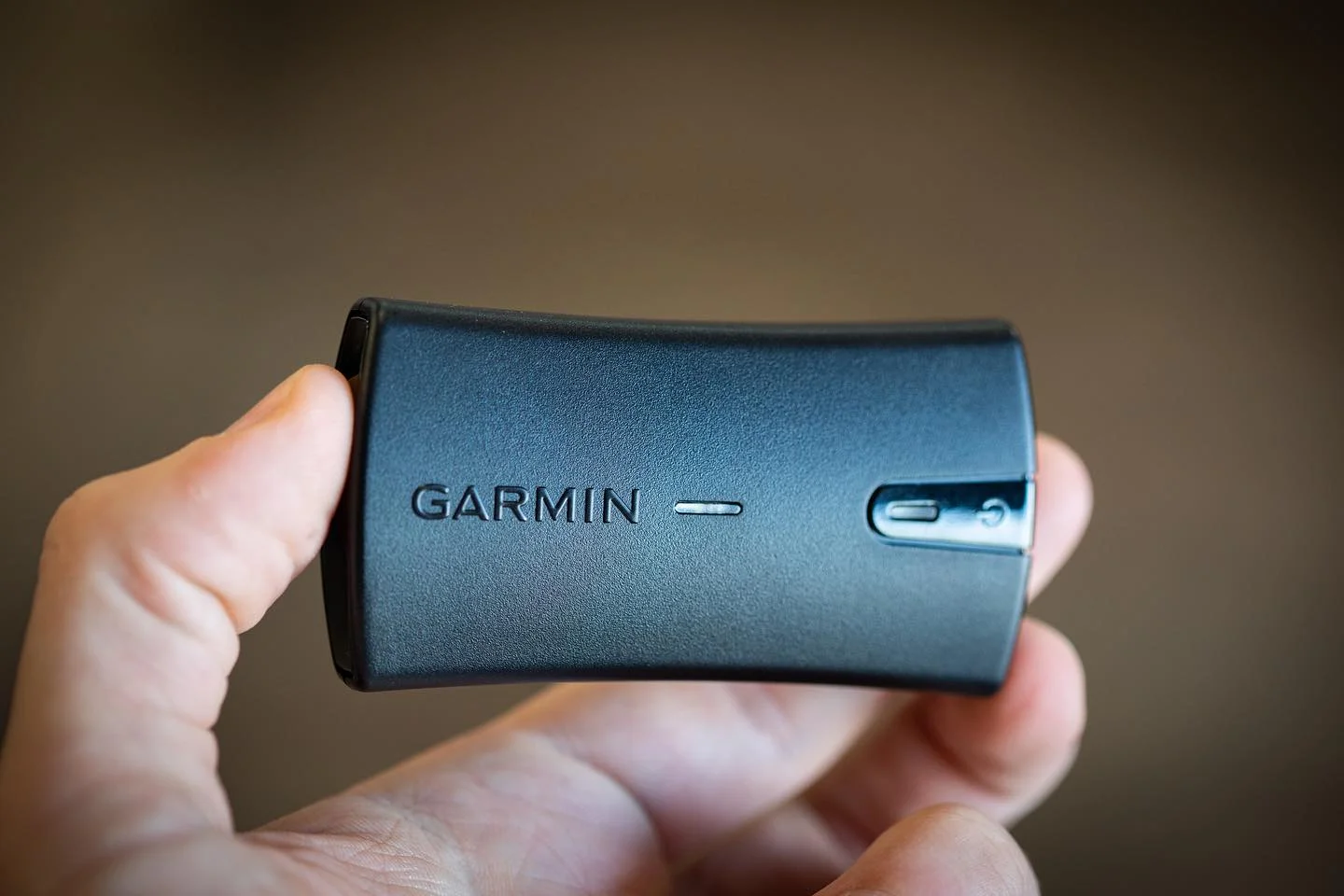
2. Garmin GLO 2 Best all-round · ~$119
GPS + GLONASS · 10Hz · Bluetooth MFi · USB power · 2 to 5m open sky
The GLO 2 is MFi-certified and pairs through iOS Bluetooth settings: once connected, it automatically feeds its position to any app using iOS location services, including Anchor Alarm Pro. No SDK, no separate app, no configuration beyond the initial pairing. On Android it works the same way via Bluetooth.
GPS + GLONASS gives access to 18 to 24 satellites simultaneously, compared to 10 to 12 for GPS-only receivers. More satellites means better geometry and more consistent accuracy when part of the sky is blocked by hills, rigging or the boat itself. In practice you routinely get 2 to 4m in a decent sky view.
The most important feature for overnight use: USB power. Plug it into any USB port on the boat and it runs indefinitely, drawing almost no current. There is no battery to go flat at 0300. Place it on the nav table, at a hatch, or anywhere with a partial sky view, and forget about it.
Because it is MFi, it also works in every app on your iPhone or iPad, not just this one: your chartplotter, logbook and navigation apps all pick up the better fix automatically. If you want one receiver that improves GPS everywhere and needs no app-specific support, this is it. The Dragy is a touch more accurate on paper, but the GLO 2 is the simpler, more universal tool.
Best for: most sailors, and anyone who wants a receiver that improves GPS across all their apps. This is what we use and recommend for a no-fuss setup.
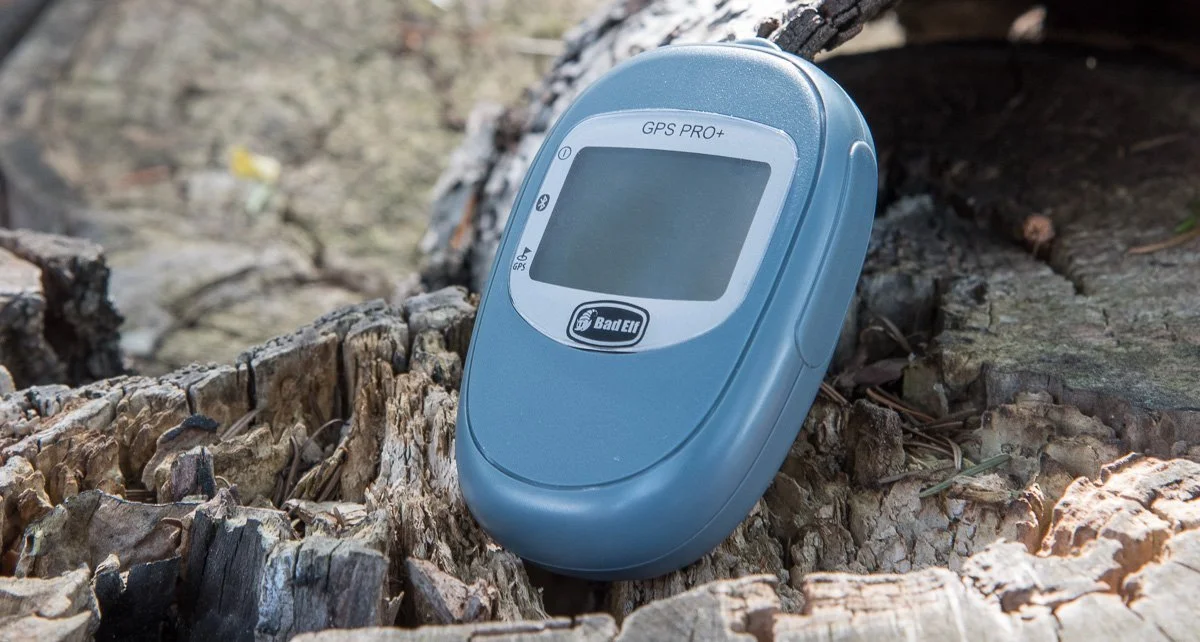
3. Bad Elf GPS Pro+ Triple constellation · ~$120
GPS + GLONASS + BeiDou · 10Hz · Bluetooth MFi · USB or battery · 2 to 4m open sky
Bad Elf pioneered MFi GPS accessories on iPhone and their certification is solid. Like the GLO 2, the GPS Pro+ pairs through iOS Bluetooth settings and feeds location to all CoreLocation apps automatically. On Android it works via standard Bluetooth.
The addition of BeiDou as a third constellation gives it access to the largest satellite count of any receiver in this price range. The practical accuracy improvement over the GLO 2 is small in open anchorages, but useful in areas with hills, tall buildings or narrow fjords where GPS and GLONASS geometry might both be degraded at the same time.
For overnight use: keep it plugged into USB. The internal battery lasts around 10 hours, which may not cover a full night. Run it from USB power and it behaves identically to the GLO 2 in this respect.
Best for: sailors frequently in high-latitude or restricted-sky anchorages who want maximum satellite count, and are willing to keep it on USB overnight.
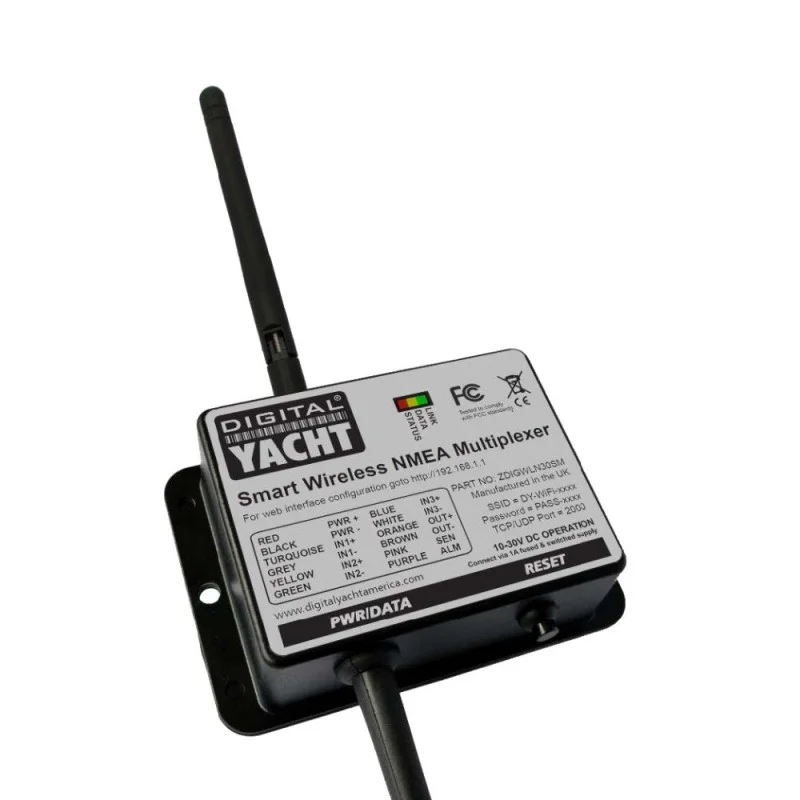
4. Digital Yacht WLN30 Best if you have NMEA · ~$236
Via boat GPS antenna · 1 to 5Hz · WiFi · 12V · 2 to 4m open sky
The WLN30 is a smart NMEA multiplexer: it takes up to three NMEA 0183 instrument inputs simultaneously (GPS, AIS, depth, wind and so on) and broadcasts the combined data stream over a password-protected WiFi network on the boat. Anchor Alarm Pro connects to it by entering the device's IP address and port in the GPS settings, and reads the position sentences directly from the network stream.
The accuracy comes from wherever the boat's GPS antenna is mounted. A dedicated marine GPS antenna on a deck arch or radar mast with a permanently clear sky view consistently gives 2 to 4m regardless of what the cabin conditions are. This is often the best achievable position on any boat, because the antenna location is already optimised for sky view.
No Bluetooth involved: the connection is purely over WiFi, which is more stable overnight than Bluetooth on most devices. No charging: runs from 12V on the instrument loop whenever the instruments are on.
Limitation: requires existing NMEA 0183 instruments. Requires some initial network setup.
Best for: boats that already have NMEA instruments and want to use the boat's own GPS antenna without adding another device.
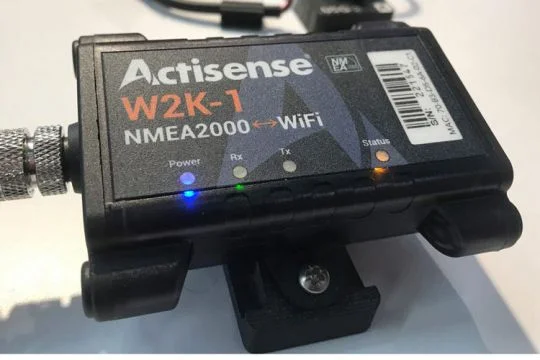
5. Actisense W2K-1 Full boat network · ~$380
Via NMEA 2000 backbone · N2K rate · WiFi · N2K bus power · 2 to 4m open sky
The W2K-1 bridges the NMEA 2000 backbone to WiFi, making every instrument on the N2K bus available to any WiFi-connected device on the boat. Anchor Alarm Pro reads position from the primary GPS source on the network: typically the same antenna that feeds the chartplotter.
Beyond position, the W2K-1 exposes depth, wind, AIS, speed and all other N2K instruments simultaneously. For sailors who want a single gateway that does everything, this is the solution. It also enables passage-planning and routing apps to read live instrument data from a phone or tablet.
Limitation: price, and the requirement for an NMEA 2000 backbone. Not for boats without N2K. Requires some network configuration.
Best for: bluewater cruisers and serious coastal sailors who want the full boat instrument network available on a phone without Bluetooth complexity.
Comparison at a glance
| Receiver | Price | iPhone | Update | Power | Accuracy |
|---|---|---|---|---|---|
| Dragy Lite ★ | ~$119 / EUR 99 | App (Anchor Alarm Pro) | 10Hz | USB-C battery | sub-meter |
| Dragy Pro | ~$149 | App (Anchor Alarm Pro) | 10Hz | USB-C battery | sub-meter |
| Garmin GLO 2 | ~$119 | MFi ✓ | 10Hz | USB | 2 to 5m |
| Bad Elf GPS Pro+ | ~$120 | MFi ✓ | 10Hz | USB or battery | 2 to 4m |
| Digital Yacht WLN30 | ~$236 | WiFi ✓ | 1 to 5Hz | 12V | 2 to 4m |
| Actisense W2K-1 | ~$380 | WiFi ✓ | N2K rate | N2K bus | 2 to 4m |
Our pick
For most sailors: the Garmin GLO 2. Place it on the nav table, plug it into USB, pair it once via Bluetooth, and select it as the GPS source in Anchor Alarm Pro. It runs indefinitely, gives 2 to 5m accuracy, and works with both iPhone and Android, and with every other app on the device, without any configuration beyond initial pairing. At $119 it is not expensive hardware for a piece of safety gear you rely on every night at anchor.
For the best accuracy per dollar: the Dragy Lite. If you mainly want a rock-solid anchor watch and are happy to charge a receiver overnight on USB-C, the Dragy gives sub-meter position for around the same price, and it is supported natively in Anchor Alarm Pro. Connect it from inside the app and you get live satellites, accuracy and battery life on screen. Just remember it is app-specific: unlike the Garmin, it will not double as a GPS for your other apps.
If your boat already has NMEA 0183 instruments: add the Digital Yacht WLN30 instead. You use the GPS antenna already mounted on the boat, which has a permanently clear sky view and produces consistently good accuracy without batteries or Bluetooth.
How to connect to Anchor Alarm Pro
For MFi receivers (GLO 2 or Bad Elf): pair the device in your phone's Bluetooth settings first. On iPhone, iOS location services automatically start using the MFi receiver once it is connected: open Anchor Alarm Pro and the GPS readout will already show the external fix. On Android, open Anchor Alarm Pro, go to GPS settings, and select the paired device as the Bluetooth source. Auto mode uses the Bluetooth fix when active and falls back to phone GPS if the connection drops overnight.
For the Dragy Lite or Pro: do not pair it in iOS Bluetooth settings. Instead open Anchor Alarm Pro, go to GPS settings, and connect the Dragy from the Bluetooth scan list inside the app. It appears with its live satellites, accuracy, battery and estimated battery life. This works identically on iPhone and Android. Charge it over USB-C for overnight use.
For NMEA over WiFi (WLN30 or W2K-1): go to GPS settings in Anchor Alarm Pro, add a network source, and enter the IP address and port of the gateway. Most NMEA 0183 gateways use port 10110. Once connected, the NMEA stream appears as a live source alongside any other active inputs. Running both phone GPS and an external source gives you redundancy: if one drops, the other keeps the watch running.
All sources at once, automatic fallback
Anchor Alarm Pro is built to connect to phone GPS, Bluetooth GPS, NMEA 0183 and Signal K simultaneously. Auto mode always uses the most accurate live source. If a source drops overnight, the app switches to the next available one without interrupting the watch. Free to use, no account needed.
Prices are approximate and subject to change. Check current listings before buying. Accuracy figures are typical values in good conditions; real-world performance depends on sky view, satellite geometry and interference.